Quick answer
You can prepare for a China trip with an overseas number, but check each essential task before you leave. A working internet connection, an SMS verification code and a number a driver can call are three different things. Start with the situation that matches your phone.
| Your situation | Start here | Keep this backup |
|---|---|---|
| My overseas number can receive SMS | Set up the correct app and check its country-code selector before departure | Save your hotel address and another way to pay |
| I only have a data eSIM | Check whether your home SIM can remain active for verification messages | Use a staffed transport desk if app registration fails |
| I am already signed in, but a new code will not arrive | Keep the current session while you troubleshoot the registered number | Open your saved address card and avoid repeated code requests |
If you have just landed and need your hotel now, open your Chinese address card and use the signed taxi queue or staffed transport desk. You can work on app setup once you are somewhere comfortable.
If your overseas number receives SMS
- Keep the same number available for the account you are using. Check the country code and remove an extra domestic leading zero only if the app's instructions require it.
- Install the correct app before travelling and test sign-in. DiDi China's publisher describes overseas-number login in its English service; that does not guarantee SMS delivery from every carrier. DiDi China publisher listing.
- Open the relevant booking or payment flow and inspect its requirements. A successful account login does not prove that every connected mini program or later transaction will work.
- Keep your home carrier's contact details. Ask whether receiving verification texts in mainland China requires a roaming setting or incurs charges.
For an actual ride, follow the DiDi setup and booking guide. It separates the standalone app from the Alipay and WeChat routes.
Keep access to the phone number used for sign-in.
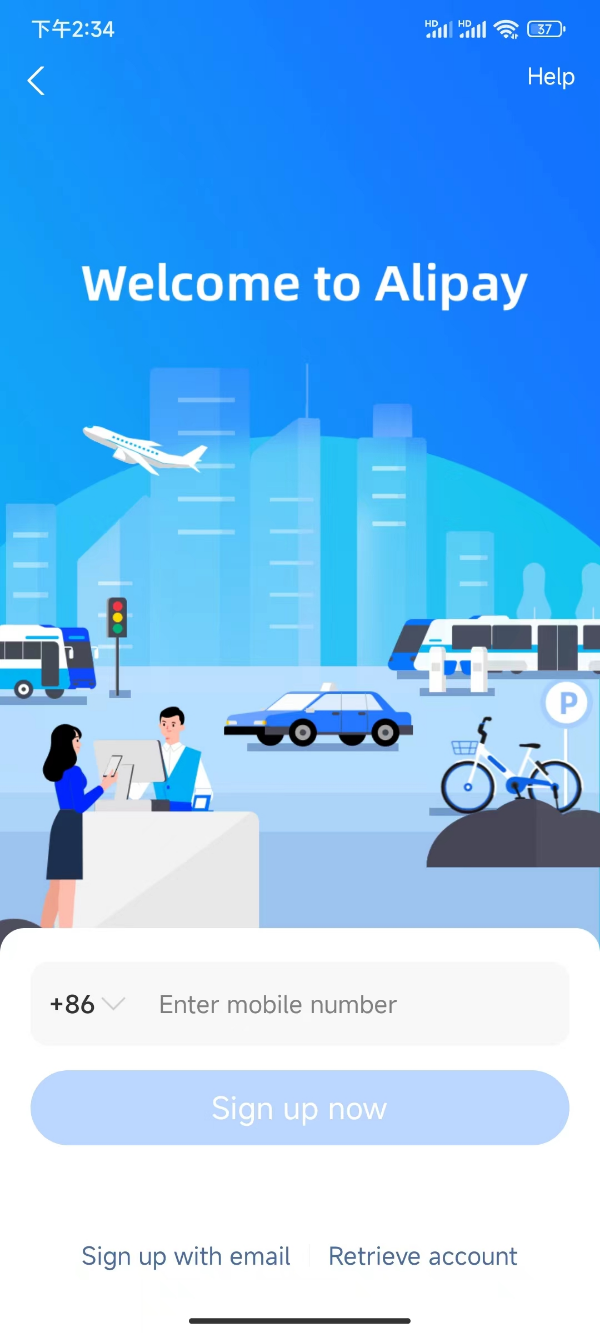
Alipay sign-up: check the country code before entering your phone number.
Image source: Shanghai International Services. Screenshot rights remain with the publisher. Reference example; screens can vary by device, account and app version. Dates and prices shown are not live.
If your travel eSIM only provides data
A data-only plan provides an internet connection; it does not itself provide a mainland telephone number for ordinary calls or SMS. Messaging through an internet app is different from receiving the text message an account asks for.
On a compatible dual-SIM phone, you may be able to use the travel line for data while keeping your home line available. Check your phone, carrier and plan rather than assuming the same settings work on every device. Apple's guidance explains using separate home and travel lines and warns that the home line may still incur roaming charges. Apple: travel eSIM guidance.
Before departure, write down which line supplies data and which number receives account codes. Do not delete your home SIM or eSIM as a troubleshooting shortcut. If neither line can receive the required code, use the service's official help or a practical alternative.
If you are signed in but cannot receive a new code
- Confirm that the requested code is going to the number registered to this particular app or wallet.
- Check the home line's signal and SMS capability separately from the travel line's internet connection.
- Read any waiting time shown by the app. Repeated rapid requests can make it harder to tell which code is current.
- Avoid signing out or reinstalling while you depend on that session, unless official support instructs you to do so.
- Use the SMS troubleshooting guide and the service's support if the problem continues.
Do not use a stranger's number or a public SMS inbox for an account holding bookings or payment access.
Match the phone setup to the task
| Task | What to verify | Where to continue |
|---|---|---|
| Find a hotel | You can find the exact branch and understand the route; account-based features may have separate requirements | AMap guide |
| Book a DiDi ride | Your selected flow accepts the number, the code arrives and the payment method is available | DiDi guide |
| Meet a driver | The pickup point is clear and you can use order chat if a call fails | Driver-call guide |
| Pay | Your own payment method works for this transaction; prepare an alternative before ordering | Payment backup plan |
| Arrange a delivery | The contact number and hotel pickup arrangement are usable by that service | Hotel delivery guide |
The table is a preparation workflow, not a guarantee that every listed service accepts every overseas number.
When to consider a local SIM
A mainland number may be useful when repeated tasks require local calls or a local contact number. Beijing's official guide lists passport-based applications and designated service or airport collection points. Check the actual counter, opening hours, device compatibility and plan before travelling there. Beijing SIM guide.
Buying a local SIM does not automatically change the number on your existing bank, wallet or travel accounts. Follow each service's official number-change process if you decide to switch.
Sources and review
Sources checked September 13, 2026. The situation-based checklist and fallback choices are editorial guidance. No on-location registration, payment or device field test was performed.