
Quick answer
Save the information needed to reach your accommodation before you leave home. A bookmark is only a link: it does not guarantee that the page will open without internet. This website does not provide a complete offline app. Use the download and print controls, then open the saved files to check them.
Pack a small set of useful records
- Your accommodation's exact Chinese name, complete address and contact number.
- Your booking reference, arrival date and any late-arrival agreement.
- Your airport code, terminal and a planned route to the accommodation.
- Your carrier's instructions for activating the connection you bought.
- The support contacts for your own booking provider and payment card issuer.
Keep important addresses on paper as well if you want a fallback when the phone itself is unavailable. Do not put card security codes, account passwords or live wallet payment codes into the address card.
Save and verify
- Open Travel tools. Paste the Chinese name and address supplied by your hotel. The tool formats text; it does not translate or verify it.
- Choose Download offline text, or use Print / save PDF. On devices without a PDF destination, use the text download or a screenshot.
- Open the downloaded file in your device's file viewer. Make sure the Chinese characters are readable and not cut off.
- Save the relevant guide using the article's print control. Choose the pages you need in the system print preview.
- Briefly test the saved material with internet disconnected. Reconnect afterwards. Do not rely on a still-open browser tab as proof of an offline copy.
Save the destination and a readable route image before losing connectivity. A screenshot cannot update your position.
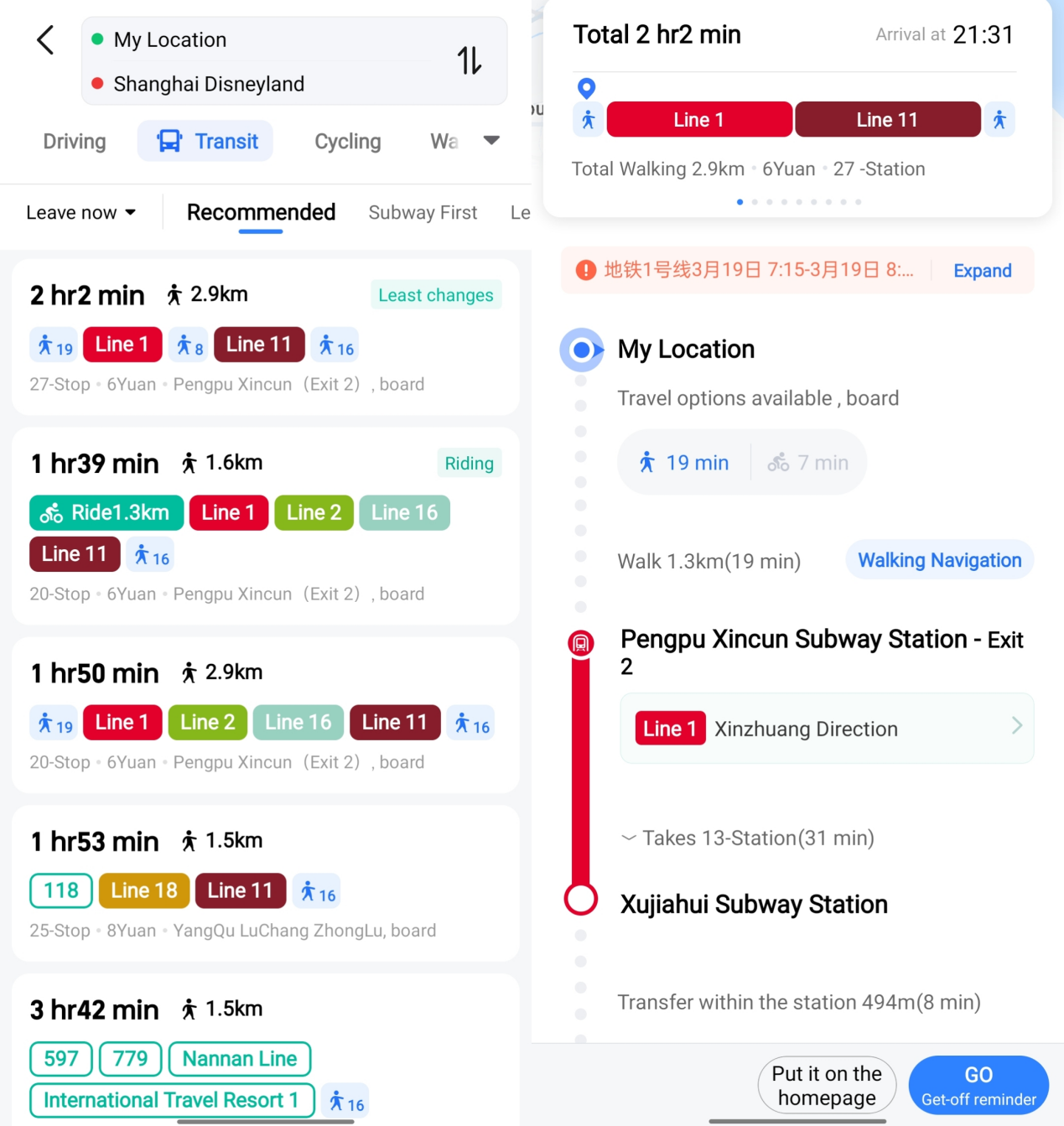
AMap route example. Check the Chinese place name, route mode and final destination.
Image source: Shanghai International Services. Screenshot rights remain with the publisher. Reference example; screens can vary by device, account and app version. Dates and prices shown are not live.
What still needs a live connection
This kit is information, not a ticket or payment instrument. A screenshot of a ride code cannot be assumed valid at a gate. Booking changes, current platform assignments and app transactions may need live confirmation. Keep the original document required for your journey and check with staff when the saved information differs from signs.
Related preparation
- Save a hotel address accurately
- Translate Chinese screens carefully
- No Chinese phone number
- What to do after losing your phone
These are editorial preparation steps assembled from the linked guides. The source below explains supported photo-text features; availability depends on your device and software.
Sources and review
Sources checked on 2026-09-10. This guide combines the existing site guides linked above with the following source material. The decision steps are editorial guidance. No app-account or on-location field test was performed.