
Quick answer
Register with your own phone number while you can reliably receive texts. Follow the checks presented by the official WeChat app. Some accounts are asked for additional verification, and the required process can differ. Do not build a first-day travel plan around an account that is not yet usable.
Prepare the number and device
Install the official app from your device’s normal app store. Keep your phone number active for the trip, even if a separate data eSIM supplies internet. Check the country-code selector carefully: changing the selected country is not the same as changing a number’s actual country code.
Use a password you can recover safely and avoid sharing an account with a travel group. Messages, bookings and future recovery steps may depend on that same account. If the phone number will expire after your trip, investigate the account’s official number-change process before losing access.
Follow the flow shown to you
- Enter your own number and the requested account details.
- Read the app’s terms and privacy information before choosing whether to proceed.
- Complete the security check shown by the app.
- Request an SMS code and wait for the countdown instead of repeatedly requesting new codes.
- If additional verification appears, follow those specific requirements.
Select your own country/region. Follow any additional verification presented by your account.
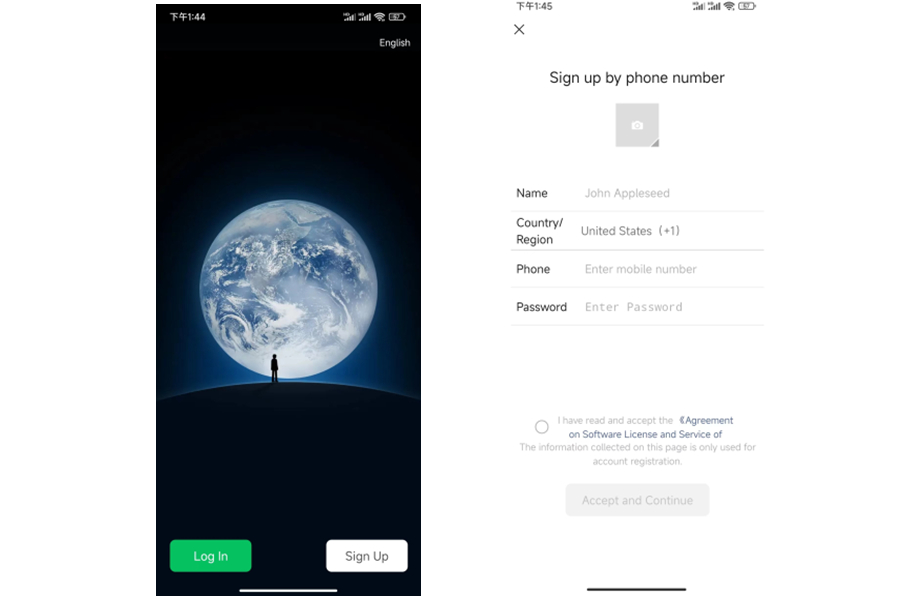
WeChat sign-up screen with country/region and phone-number fields.
Image source: Shanghai International Services. Screenshot rights remain with the publisher. Reference example; screens can vary by device, account and app version. Dates and prices shown are not live.
If the SMS code does not arrive
Use the SMS-code troubleshooting checklist to check the country code, the registered line and its SMS service before trying again. A working data eSIM does not prove that this phone number can receive texts. For the difference between data, calls and SMS, see eSIM, roaming and local SIM options.
This addresses missing messages, not an additional friend-verification requirement. If the app asks for a helper, follow the separate section below.
If a friend must assist
Ask someone you know who meets the conditions displayed on your screen. There is no universal rule in this guide about the helper’s account age, location or verification allowance: those conditions can change. Never give the helper a bank password or buy verification from a stranger.
If you cannot satisfy the check, use WeChat’s own help or appeal route. The correct short-term travel fallback is another working payment or communication method, not a purchased account.
Messaging is not payment activation
A working chat account does not prove Weixin Pay is ready. Open the payment service separately, complete any identity requirements and check the offered card types. See the WeChat Pay guide.
Before leaving home
Confirm you can sign in, receive a normal message and recover access through your own number. These checks do not guarantee that a particular merchant payment will succeed after arrival.
Sources and review
Sources reviewed on 2026-09-10. These sources support the service or policy facts; the practical fallback steps are editorial guidance. This is not a recorded field test.