Quick answer
A metro QR code must belong to the city and transit service you are using. It is different from the ordinary store-payment code in a wallet. Activate it before reaching the gate and use a live code, not a saved screenshot.
A payment code is not a ride code
A wallet pay screen does not itself activate a city metro service. Confirm the selected city and ride service, then use the correct entry and exit method. If activation fails, ask staff for another ticket option. Compare the different QR codes.
Start with the city
Open the transport service in the supported wallet or local transit app and confirm the selected city. Read its agreement, identity requirements and available payment method. A card working at a shop does not prove that this transit product can charge it.
Shanghai’s official information describes a transit QR service through WeChat. That is evidence for that local product, not a rule for every Chinese metro. Other cities may use a different app, activation path or eligibility check.
This example shows why the card name matters: a Shanghai bus code is not proof that a metro gate will accept it.
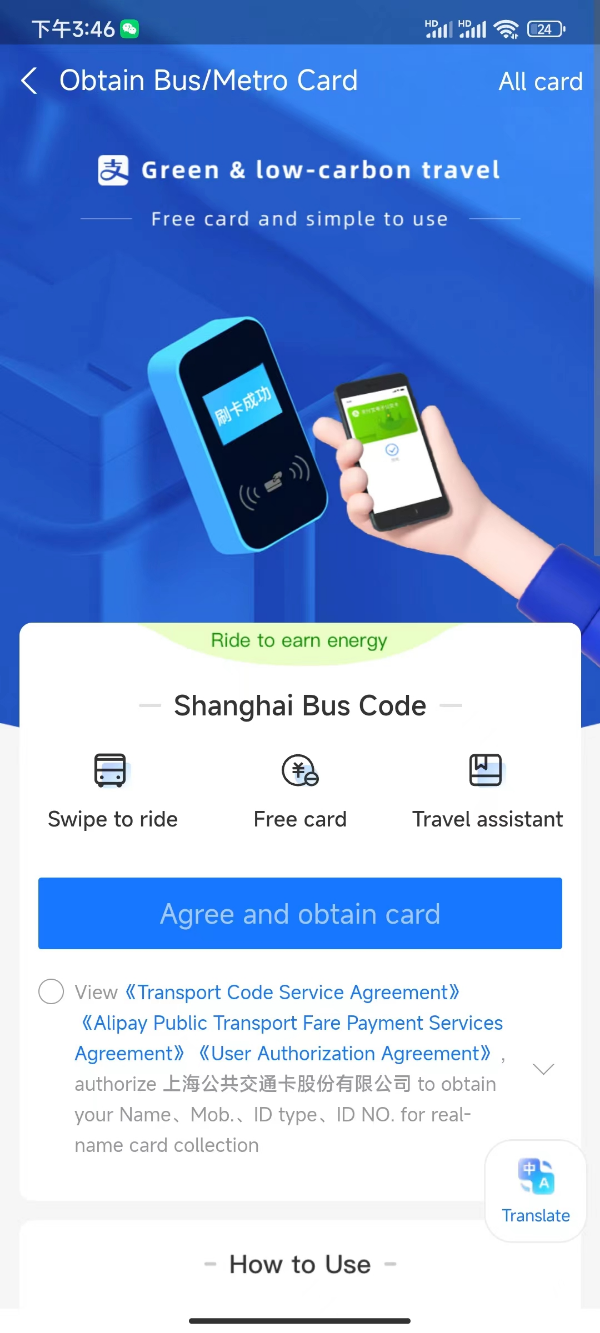
Shanghai Bus Code activation example. This is a bus card, not a metro card.
Image source: Shanghai International Services. Screenshot rights remain with the publisher. Reference example; screens can vary by device, account and app version. Dates and prices shown are not live.
Before the first journey
- Search for the exact destination station and useful exit.
- Activate the city’s transit product and check its payment method.
- Open the code while you have connectivity and enough battery.
- At the gate, find the QR scanner rather than the contactless-card target.
- Use the same supported account and medium when exiting.
If the gate does not open, step aside and check for a useful error message. Do not keep passing the phone over multiple scanners or following another traveler through the gate.
If your journey is incomplete
An account may show an entry without an exit, or an unpaid journey. Visit the station service counter and show the relevant trip record. Tell staff your origin and destination. Avoid switching to a different wallet at the exit without asking how the original journey will be settled.
Families and groups
Check the local rules for children and group travel. Do not assume that one code can be passed back to another adult. If an app offers an additional-passenger feature, read the restrictions; otherwise obtain separate tickets or supported media.
A simple fallback
If activation fails, buy a ticket from a machine or staffed counter using an accepted payment method. Do this before entering the paid area. See the subway guide for route direction, exits and luggage planning.
Sources and review
Sources reviewed on 2026-09-10. These sources support the service or policy facts; the practical fallback steps are editorial guidance. This is not a recorded field test.